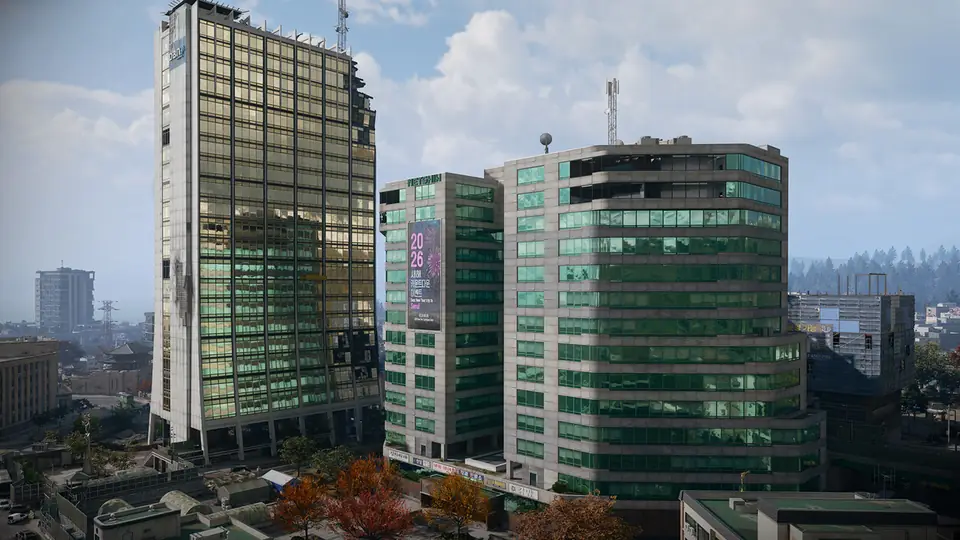
MW4 on PC
MW4 Failed Attestation Fix: TPM 2.0 and Secure Boot
If Modern Warfare 4 on PC says your system failed attestation or does not meet the security requirements, pick the message you see for its fix, then check TPM 2.0 and Secure Boot yourself in two minutes.
Last updated Game version: Pre-launch (official intel, October 2026)
Short answer: MW4 on PC needs both TPM 2.0 and Secure Boot. A PC without them cannot play any online mode, DMZ included. You need Windows 11 or Windows 10 version 22H2 or later, TPM 2.0 switched on in the BIOS, and Secure Boot switched on with the PC in UEFI mode on a GPT drive. Activision's free Secure Attestation Wizard tells you which of these is missing.
Find the fix for your message
The first message shows in the game; the others are what Activision's Secure Attestation Wizard reports, plus the Windows prompts on the first launch. Messages are as Activision lists them; the fixes are our summary of its help article.
Which message do you see?
1. Game notice
“Failed Attestation Status”
Your PC did not pass Call of Duty's security check. In MW4 that keeps you out of every online mode. Run the Secure Attestation Wizard to see which setting is missing, then use the fix for that message below.
2. Wizard result
“TPM 2.0: Not Enabled”
Switch TPM on in the UEFI/BIOS: the setting is Intel PTT on Intel processors and AMD CPU fTPM on AMD. Save, restart, then check with tpm.msc.
3. Wizard result
“Secure Boot: Not Enabled”
Set Secure Boot to Enabled, usually on the Boot tab of the UEFI/BIOS, then save and restart. Check with msinfo32.
4. Wizard result
“Boot Partition not set to GPT”
Your Windows drive uses MBR. Convert it to GPT with Microsoft's MBR2GPT tool (Activision points to Microsoft's guide), switch the boot mode to UEFI, then turn on Secure Boot.
5. Wizard result
“BIOS Boot mode not set to UEFI”
Change the boot mode from Legacy (CSM) to UEFI in the BIOS. Make sure the Windows drive is GPT first: on an MBR drive Windows may not start in UEFI mode.
6. Wizard result
“BIOS Firmware Update Required”
You meet the minimum for now, but Activision recommends a BIOS update and says it may become required. Get it from your motherboard maker's support page.
7. Wizard result
“Authorization Key Failed”
Select Generate Key in the wizard, then Yes on the Windows prompt for enrollaik.exe, so the scan can read your TPM.
8. Wizard result or game notice
“TCG Event Log Failed”
Windows is not up to date. Restart the PC and install the latest Windows update.
9. First game launch
“Windows prompt for CODBrokerInstaller.exe or enrollaik.exe”
Select Yes; CODBrokerInstaller.exe asks for an administrator name and password. Choosing No or closing the prompt stops you from playing. It should stop appearing once you accept.
What MW4 needs on PC
- Windows: Windows 11, any version, or Windows 10, version 22H2 or later. Windows 11 needs TPM 2.0 and Secure Boot itself, so most Windows 11 PCs already have both on.
- TPM 2.0: Intel 8th Gen or newer, where the BIOS setting is Intel PTT, or Security Device Support on some boards; or AMD Ryzen 2000 series or newer, where it is AMD CPU fTPM. A separate TPM chip on the motherboard (dTPM) works too.
- Secure Boot, which needs all three:
- The PC starts in UEFI mode, not Legacy (also called CSM).
- The Windows drive uses the GPT partition style, not MBR.
- Secure Boot is set to Enabled in the UEFI/BIOS.
MW4 is stricter than the other Call of Duty games here. Black Ops 7 and Warzone need them too, but there a PC that misses them is only kept out of some modes and playlists, such as Ranked Play, and may be matched with other such players. In MW4 there is no reduced mode: without both settings you cannot play online at all. The full PC specs, drivers and storage are on our MW4 system requirements page.
Check your PC in two minutes
- TPM 2.0: Press Windows key + R, type tpm.msc and press Enter. Good: The Status box says “The TPM is ready for use”. If not: “Compatible TPM cannot be found” means TPM is switched off in the BIOS, or the PC does not have it.
- Secure Boot and boot mode: Press Windows key + R, type msinfo32 and press Enter. Good: BIOS Mode says UEFI and Secure Boot State says On. If not: Secure Boot State Off: the PC supports it but it is switched off. Unsupported: check the motherboard manual. BIOS Mode Legacy: switch to UEFI, which may first need the drive converted to GPT.
- Partition style of the Windows drive: Open Disk Management, right-click the Windows drive, choose Properties and open the Volume tab. Good: Partition Style says GPT. If not: MBR has to be converted to GPT before UEFI mode and Secure Boot will work.
Run the Secure Attestation Wizard
Activision's Call of Duty Secure Attestation Wizard (version 1.2.0, updated September 16, 2026) scans your PC and lists every setting that still needs work. Download it from Activision's help article in the sources below, unzip it and run CODSecureAttestationWizard.exe. If it says your system is compliant, you are ready and can delete it.
Before you change BIOS settings
Activision warns that wrong UEFI/BIOS changes can stop a PC from starting, says to follow the motherboard maker's own instructions, and suggests asking the maker or a professional if you are unsure. Changing TPM, Secure Boot and boot mode all mean restarting into the UEFI/BIOS, so keep this page open on your phone.
Still failing?
- On some AMD PCs with TPM firmware version 3.*.0.* (any numbers in place of the stars), the enrollaik.exe prompt keeps coming back even after you select Yes. Activision says that means the motherboard BIOS needs an update.
- To see your TPM firmware version, open tpm.msc and look at Manufacturer Version under TPM Manufacturer Information. Your motherboard maker's support page has the BIOS updates.
- If you did every step and still get a Failed Attestation Status, Activision asks you to send a TPM incompatibility report from its help article; the reports help its engineers and hardware makers fix BIOS firmware.
Fixed? Digital pre-orders on PC can preload before launch; our MW4 release countdown has every date in your time zone, and the DMZ beginner's guide walks you through your first deployment.
Questions
What does Failed Attestation Status mean in MW4?
Your PC did not pass Call of Duty's security check: TPM 2.0 or Secure Boot is off or not detected, or Windows or the BIOS needs an update. In Modern Warfare 4 it keeps you out of every online mode, DMZ included, until you fix it.
Can you play MW4 without TPM 2.0 and Secure Boot?
Not online. Activision says MW4 on PC needs both, and a PC without them cannot play any online mode.
Does MW4 work on Windows 10?
Yes, on Windows 10 version 22H2 or later, with TPM 2.0 and Secure Boot switched on. Windows 11 needs TPM 2.0 and Secure Boot itself, so most Windows 11 PCs already have both on.
Which processors support TPM 2.0 for MW4?
Intel 8th Gen or newer (the BIOS setting is Intel PTT, or Security Device Support on some boards) and AMD Ryzen 2000 series or newer (AMD CPU fTPM). A separate TPM chip on the motherboard (dTPM) works too.
Sources
- Activision Support: TPM 2.0 and Secure Boot for Call of Duty (updated September 16, 2026)
- Call of Duty Blog: Modern Warfare 4 PC trailer, specs and features (September 2026)
Checked against the official posts on October 11, 2026. Before launch, everything here is Activision's own description; we update the page once the game is out and details can be confirmed in play.
Continue reading
 Next stepPC sorted? See when you can preload and play in your time zone.MW4 Release Date, Time and Early Access CountdownA live countdown to the MW4 and DMZ launch in your own time zone, with Early Access, PC preload and each platform.Go there
 Related guides
 PCMW4 System Requirements: PC Specs and CheckerMinimum, Recommended and Ultra PC specs from Activision, what every PC must have, the drivers to install and a quick check of your own PC.
 Getting startedDMZ Beginner's Guide: FOB and First RunsHow a DMZ deployment works from infil to exfil, which FOB stations open at which level, and what happens when you die.
 FAQMW4 DMZ FAQ: Free, Solo, PlatformsStraight answers on price, solo play, platforms, early access, map size and what you keep after a failed exfil.
Card pictures: Screenshot: Call of Duty: Modern Warfare 4 © Activision (enhanced)